Faceless Videos: A Practical Start-to-Publish Blueprint
Faceless video is a production choice, not a shortcut around having a point of view. Narration, diagrams, screen recordings, or animation can carry a video without putting you on camera—but viewers still need a reason to watch. This workflow takes a beginner from channel idea to post-publication review on YouTube Shorts, TikTok, and Instagram Reels.
1. Choose a promise you can repeat
Write one sentence naming the audience, payoff, and format: “I help first-time renters understand one lease term in under a minute.” List 20 questions you could answer within that promise. If you struggle, narrow the topic. Pick a few recurring structures, such as “one mistake” or “three steps,” but bring a fresh explanation to each video. YouTube’s channel monetization policies emphasize original, authentic work rather than mass-produced or generic videos. Use a repeatable structure as a production aid, not a substitute for new substance.
2. Research one question before drafting
Start with a specific viewer question, not a broad category. For “What does a security deposit cover?” consult dependable primary sources, such as a state agency or the original law or document. Note what each source supports, including limits and exceptions. Verify names, dates, and numbers; if sources disagree, explain the uncertainty or narrow the question. A short video should not sound more certain than its evidence.
Keep three notes: the viewer’s question, the answer you can support, and what the video cannot settle. Use outside footage only when you have the rights and a clear editorial reason. Giving credit alone does not grant permission.
3. Script for one clear payoff
Write the answer first, then shape it into a concrete opening, explanation, example, and useful next step. For example: “A security deposit isn’t automatically last month’s rent. It may cover specific costs allowed by your lease and state law. Before moving out, photograph the room and save your move-in checklist. Check your state’s rules for deadlines and deductions.” The example clarifies the idea without pretending to give universal legal advice.
Read the script aloud. Cut throat-clearing and repeated claims; replace vague words with specifics. If it feels crowded, remove a secondary point instead of rushing. Close with one relevant action, such as checking the cited rule, rather than a generic engagement plea.
4. Match visuals and voice to the explanation
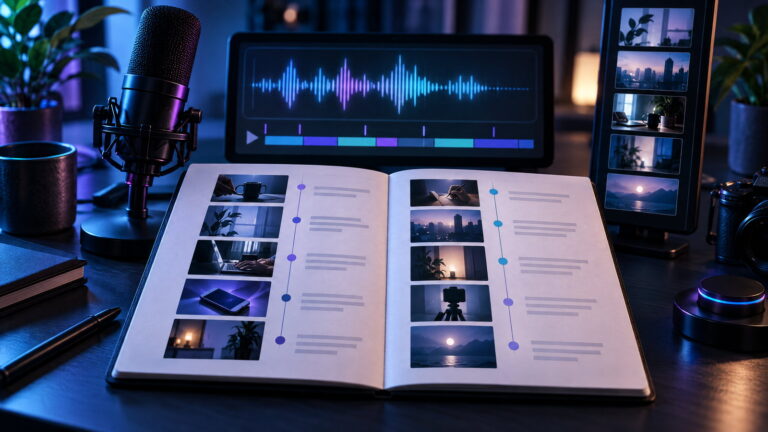
Plan what viewers should see for each spoken line. Use an original screen recording, simple diagram, labeled document excerpt, illustration, or properly licensed footage. Keep text large and readable. Each visual should clarify, demonstrate, or set context—not merely fill space.
Choose a voice you can deliver consistently. A phone recording in a quiet, soft-furnished room can work; keep microphone position steady and record a test. With AI narration, check names and pronunciation, verify your tool’s terms allow your use, and follow any platform disclosure rules for synthetic or altered content. The explanation still needs your judgment. Instagram’s original-content guidance recognizes a creator’s perspective and meaningful additions such as narration or graphics; superficial changes or credit alone are not enough.
5. Edit for clarity, then check the rights
Lay narration first, then cut visuals to the spoken beats. Remove dead air and distracting effects. Add captions and correct them by listening against the audio. Keep key text clear of interface areas. Watch once with sound for pacing and audio, then muted to see whether visuals and captions still make sense.
Before export, confirm that clips, images, fonts, and music are original, licensed for your intended use, or otherwise cleared. Save permissions with the project. Don’t repost another creator’s video with only a new voice or border. TikTok identifies copied or lightly repurposed work, compilations with little added value, and visible third-party watermarks as potentially unoriginal; this can affect recommendation and rewards eligibility under its originality policy. Instagram’s originality guidance is separate from intellectual-property rules, so an edit does not replace permission.
6. Package, publish, and review
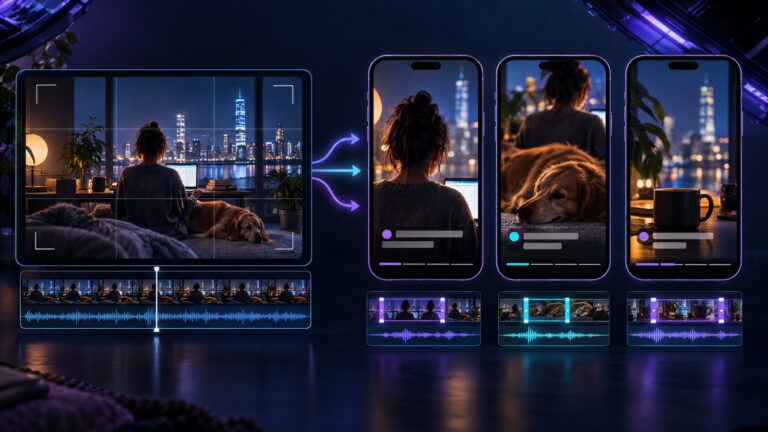
Write a title or caption that accurately states the payoff. Choose a clear first frame, add a concise description when useful, and link the source if viewers may want to verify it. Export a clean vertical master without another platform’s watermark. Upload natively to each app and check the preview, captions, sound, and settings; audio and features may differ by platform.
After posting, log the date, topic, format, opening, and useful native metrics. Across several videos, look for where viewers leave, whether they finish, saves or shares, and comments that reveal confusion or a follow-up question. One post is too little evidence to judge a format. Change one element at a time, such as the opening example or visual pace, and see whether the next version is clearer.
Instagram’s Best Practices hub offers guidance on creation, engagement, reach, monetization, and guidelines, including personalized tips in the Professional Dashboard. Recheck platform guidance as it changes. The first goal is a reliable process: research carefully, explain something useful, publish cleanly, and use feedback to improve. No workflow guarantees reach or monetization, but a repeatable practice is a strong place to start.