How to Repurpose One Video for YouTube Shorts, TikTok, and Reels
A useful video idea can travel across platforms, but an identical export is rarely the best final product everywhere. Repurposing works when you preserve the core insight and adapt the opening, pacing, captions, and next step for each audience. Here’s a repeatable workflow for turning one original idea into three intentional posts—without treating “post everywhere” as a strategy.
Start with one idea and three viewer promises
Write the idea in one sentence, then choose a specific takeaway. For example: “A five-minute desk reset can make a small home office feel more usable.” That is the subject, not yet the video. The viewer promise might be: “See the three changes that cleared my desk before a work call.”
Before filming, outline three possible openings. A direct how-to could begin, “Try these three desk changes before your next meeting.” A personal version might start with the messy desk and explain what you changed. A myth-busting version could challenge the idea that you need to buy more organizers. These are editorial options, not claims about what an algorithm rewards.
Make a clean source edit, then create platform versions
Record a clean vertical master with clear speech, steady framing, and space around text and faces. Keep the original footage and project file. Avoid baking in a platform logo, watermark, or interface sticker. Create separate exports from the clean master instead of downloading and recirculating a posted copy.
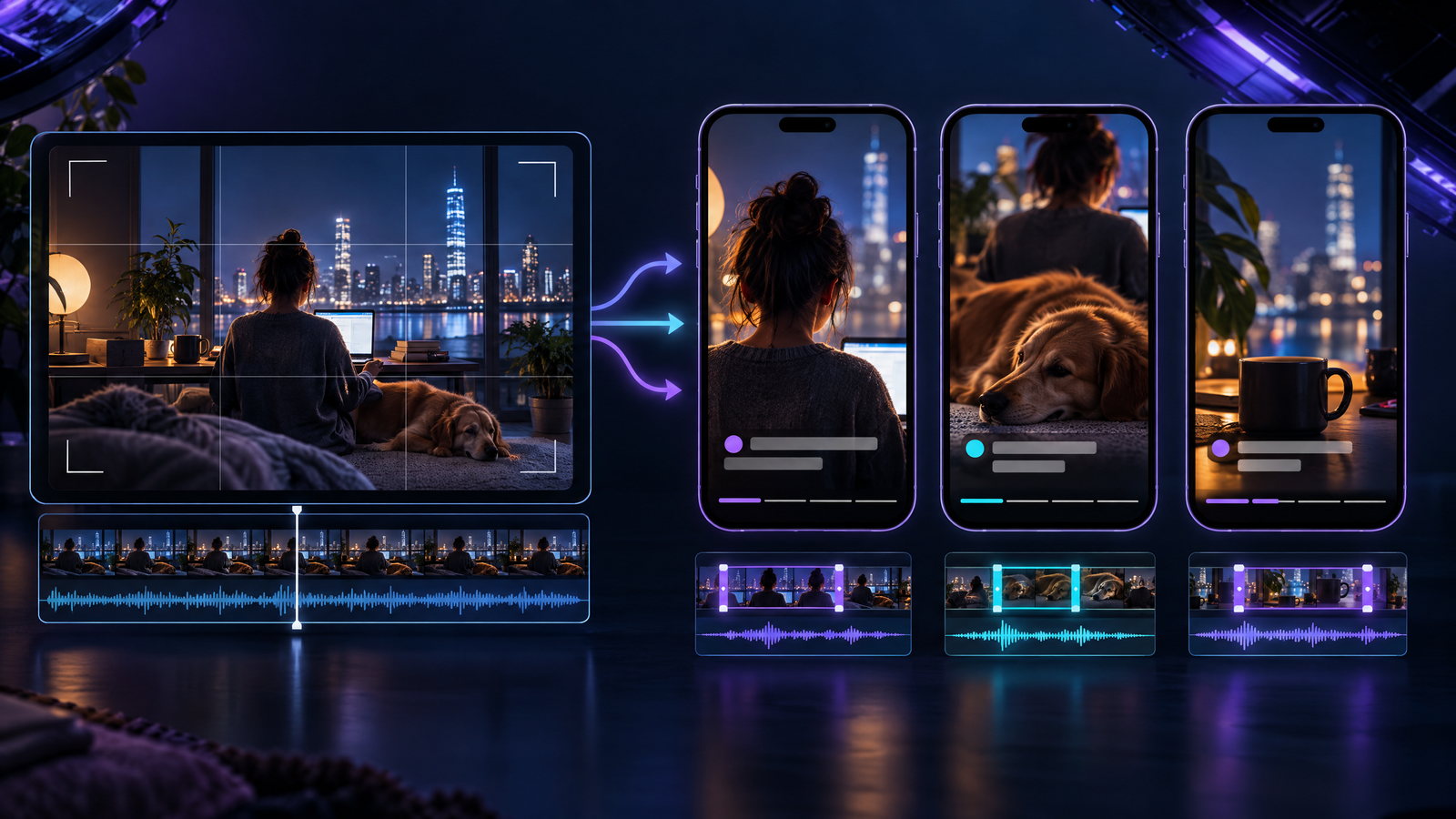
Make each version complete on its own. Rework the opening so a new viewer understands the point; tighten pauses, remove irrelevant context, and add a fitting caption or call to action. Shared footage is fine, but add something meaningful: a clearer explanation, a new example, or a more useful takeaway.
For the desk-reset idea, one cut could show three changes in sequence; another could explain the before-and-after; a third could answer “What if you can’t move the desk?” with a low-cost adjustment. These are distinct presentations of your own idea, not superficial edits to someone else’s work.
Tune the details without guessing at secret rules
Use each platform’s documented constraints, but don’t assume rumored “best time,” length, or hashtag formulas are official advice. YouTube says standard-channel videos uploaded after October 15, 2024, can count as Shorts when they are square or vertical and up to three minutes long. A Short over one minute with an active third-party copyright claim is blocked globally. Check YouTube’s Shorts length and claim guidance before choosing a longer cut.
Instagram’s creator guidance says Reels must be three minutes or less to be recommended. It also says reposts of Reels already on Instagram and noticeable watermarks are less likely to be recommended. See its reach tips. A clean export and distinct opening respect that advice, but do not guarantee reach.
On TikTok, use available editing options to make the post clear rather than assuming a trend is mandatory. TikTok’s accessibility guide says creators can use and edit auto-generated captions. Add a concise post caption, and make the spoken point understandable without context from your other videos.
Clear rights before you publish
For every version, check whether you own the footage, voiceover, graphics, and music, or have a license covering the use. Don’t assume a song available inside one app is cleared for export to another. For one soundbed across all three, use original audio or a license covering each destination; alternatively, publish clean voiceover and choose music separately where permitted.
Credit is not permission. The U.S. Copyright Office says there is no fixed number of words, notes, or percentage that automatically makes a use fair; fair use depends on the circumstances. TikTok also prohibits unauthorized copyrighted material and recommends permission when using someone else’s content. Review the Copyright Office’s fair-use FAQ and TikTok’s copyright guidance. If unsure about a specific use, get permission or leave it out.
Build accessibility into the edit
Use accurate captions, correct names and technical terms, and leave text on screen long enough to read. Keep it high-contrast and away from faces or important details. Don’t rely on text alone for a key step: say it aloud or show it clearly.
A five-minute publishing check
Before posting, watch each version with sound off, then listen without looking. Can viewers follow the story? Is the opening clear on its own? Does the edit add a real angle, not just a new crop? Are the rights cleared for this destination? Check the preview for cut-off text, and write a caption that accurately describes the video.
Repurposing is not duplicating a file three times. It is carrying one useful idea into three finished pieces, each clear, accessible, rights-aware, and worth watching by itself.