12 Reusable Prompts for Faceless Video Production
Faceless videos still need a point of view. AI can speed up research, scripting, and editing, but it works best when you set the audience, verify the facts, and make the final creative decisions. Use these 12 prompts as building blocks for YouTube Shorts, TikTok, and Instagram Reels—not as a one-click publishing system.
Set up your prompts
Replace every bracketed field before you paste a template into your AI tool. Add your audience, platform, target length, tone, and any required source links. Ask for a draft you can review, not claims presented as fact. Save useful outputs in a production brief, then revise them so each video reflects your own perspective.
The 12-prompt production chain
1. Find focused topics
Generate 10 short-video ideas for [AUDIENCE] in [NICHE]. Each should answer one specific question or solve one small problem. For each, give a one-sentence promise, why it fits a short video, and one angle that avoids generic advice. Do not invent trend data.
2. Research from sources
Research [TOPIC] using only these sources: [PASTE URLS]. Return 3–5 verifiable claims in a table with exact supporting quotes, source title, URL, and page location. Separate facts from interpretation. Flag conflicts and gaps; do not fill them with guesses.
Open the sources yourself and check that each citation supports the claim. For current rules, use platform documentation: for example, YouTube says repetitive or mass-produced material may be considered “inauthentic,” while borrowed material needs significant transformation for monetization review (YouTube monetization policies).
3. Draft the script
Write a [LENGTH]-second script about [TOPIC] for [AUDIENCE] on [PLATFORM]. Use only these approved facts: [PASTE VERIFIED NOTES]. Start with a clear hook, explain one useful idea in plain American English, and end with [CTA]. Mark any unsupported statement [VERIFY]. Avoid filler and guarantees.
4. Plan the scenes
Turn this approved script into a scene-by-scene plan: [PASTE SCRIPT]. For each beat, list narration, on-screen text, visual purpose, and approximate duration. Keep text brief and use original or licensed assets. Make the opening understandable without sound.
5. Find B-roll directions
For each scene below, suggest 2–3 B-roll options that illustrate the idea without pretending to prove it: [PASTE SCENES]. Label ideas as footage to capture, licensed stock to find, or graphics to create. Avoid identifiable private people, logos, and copyrighted clips unless cleared.
6. Lock the visual language
Create a compact visual style guide for a faceless [NICHE] series: [BRAND COLORS], [MOOD], [ASSET TYPE]. Define composition, lighting, texture, and recurring graphic elements. Keep the look consistent while varying each scene. No text baked into images, brand imitation, or unsupported historical details.
7. Shape narration
Prepare this final script for narration: [PASTE SCRIPT]. Keep every word and meaning intact. Add pauses with slashes, emphasize only key phrases in brackets, and flag names or terms needing pronunciation checks. Tone: [TONE]; pace: conversational and clear.
8. Design the sound
Build a sound cue sheet for this scene plan: [PASTE SCENES]. Suggest a subtle music mood, specific sound effects, and where silence helps. Keep narration intelligible. Mark every cue as original, licensed, or to be sourced; do not name a track as cleared unless I provide its license.
9. Prepare captions
Format this verified narration as readable captions: [PASTE FINAL AUDIO TRANSCRIPT]. Preserve the exact spoken words, break lines at natural phrases, and flag jargon for human review. Do not add claims, emojis, or emphasis that changes the meaning.
10. Write title options
Suggest 8 accurate titles for this video: [TOPIC AND FINAL SCRIPT]. Keep them specific and easy to understand. Use curiosity without exaggerating, promising results, or implying evidence the video does not contain. Mark your best 3 and explain the difference in angle.
11. Repurpose with care
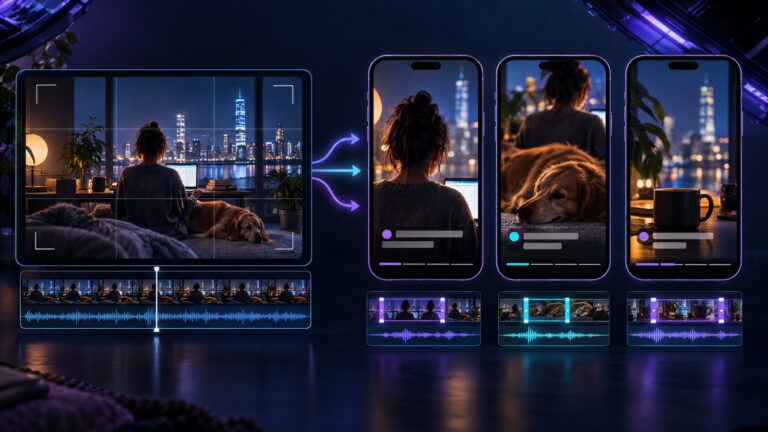
Adapt this original video for [DESTINATION PLATFORM]: [PASTE SCRIPT AND SCENE NOTES]. Provide a revised opening, caption, and cutdown plan while preserving the verified facts and attribution. Identify material that needs new visuals or a rights check. Do not simply repackage another creator’s clip.
Make the adaptation substantive. Instagram distinguishes original or materially edited work from simple reposts, and reminds creators to obtain necessary permissions for others’ work (Instagram’s original-content guidance).
12. Run a quality review
Audit this finished video package: [PASTE SCRIPT, SOURCES, VISUALS, CAPTIONS, TITLE]. Return a checklist of factual claims needing source confirmation, unclear wording, rights/attribution issues, caption mismatches, audio problems, and platform-policy questions. Quote the exact item and suggest a fix. Do not certify compliance.
Customize, verify, then publish
Treat placeholders as controls: specify whether you want a tutorial, story, or commentary; set a realistic runtime; and provide source URLs rather than asking a model to “research the internet” without boundaries. If the first result is bland, add one constraint—such as “explain this for a first-time renter”—instead of stacking vague adjectives.
Before publishing, verify factual statements against the original pages, check dates and names, confirm asset rights, and listen while following the captions. AI disclosure rules are platform-specific and can change. YouTube requires disclosure for realistic altered or synthetic content in specified cases (YouTube’s disclosure guidance); TikTok requires labels for realistic AI-generated content and describes its disclosure options in its AI-generated content guidance. Review the current rules in the app or help center before posting.
Use the prompts to make production repeatable, not interchangeable. Your strongest series will pair a consistent workflow with original reporting, judgment, and creative choices.