YouTube Partner Program Requirements for Faceless Channels
To meet the YouTube Partner Program requirements through the standard route, a channel needs 1,000 subscribers plus either 4,000 qualified public watch hours in the last 12 months or 10 million qualified Shorts views in the last 90 days, along with a few account requirements. Meeting the numbers does not mean automatic approval: YouTube reviews the channel itself. This guide explains each requirement for faceless channels, what counts toward the thresholds, and what to expect after you apply.
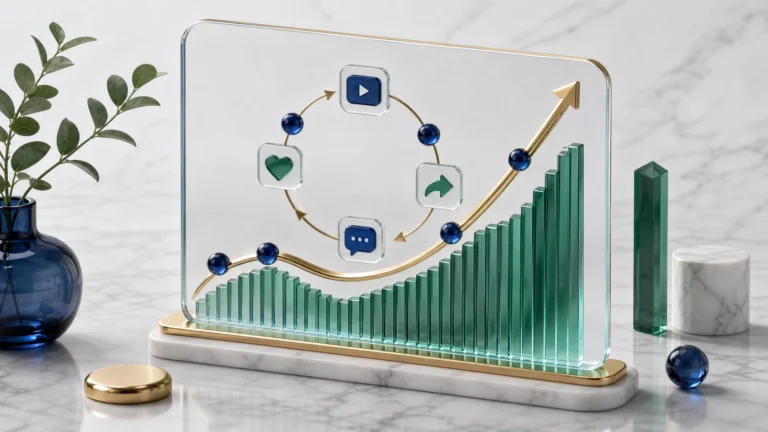
 Subscriber, watch-hour, and channel review milestones for YouTube Partner Program eligibility.
It is based on YouTube’s own Partner Program overview and eligibility page and its channel monetization policies. YouTube can change these rules, so confirm the current numbers in YouTube Studio before you plan around them.
1. YouTube Partner Program requirements at a glance
- Follow the YouTube channel monetization policies.
- Live in a country or region where the Partner Program is available.
- Have no active Community Guidelines strikes on the channel.
- Turn on 2-Step Verification for the Google Account.
- Have access to advanced features on YouTube.
- Have one active AdSense for YouTube account linked to the channel, or set one up in YouTube Studio.
- Meet one of the two thresholds below.
2. The two thresholds
A channel needs to meet either one of these, not both:
- Long-form route: 1,000 subscribers and 4,000 qualified public watch hours in the last 12 months.
- Shorts route: 1,000 subscribers and 10 million qualified Shorts views in the last 90 days.
What counts, and what does not
According to the Help page, only public long-form videos count toward watch hours. Private, unlisted and deleted videos do not count, nor do ad campaign views and most Shorts views. Watch hours from Shorts Feed views do not count toward the long-form figure. For the Shorts route, only public Shorts that appear in the Shorts Feed count, and Image Posts are excluded.
In practice this means a channel that mixes both formats should track them separately in YouTube Studio rather than adding them together. If you are working toward the Shorts route, the Script Timing Counter and the 3-Second Hook Generator can help you plan short scripts and openings.
3. Account requirements that are easy to miss
Creators often focus on the audience numbers and forget the account settings. Check these before you apply:
- 2-Step Verification must be on for the Google Account that owns the channel.
- Advanced features must be available on the channel.
- AdSense for YouTube must be linked. This is separate from AdSense for a website; approval of one does not approve the other.
- No active Community Guidelines strikes.
4. What happens after you apply
You apply in YouTube Studio under Earn, accept the base terms, and link or set up AdSense. The channel then enters a review queue. YouTube says automated systems and human reviewers assess the whole channel, decisions are typically in about one month, and applications are handled in the order received. Some channels need more than one review.
The Help page also says that meeting the thresholds does not make acceptance automatic. Treat the review as a check of the channel as a body of work, not of one video.
5. If the application is rejected
The Help page describes these options after a first rejection: appeal within 21 days, or keep uploading and apply again after a 30-day period. After a second or later rejection, or after an earlier re-application, you need to wait 90 days before trying again. It advises reviewing your channel against the policies and making changes before you reapply.
For a deeper look at rejection reasons for AI-narrated channels, see Can You Monetize AI Voice Videos on YouTube?
6. What reviewers look for on a faceless channel
The requirements above do not mention showing your face. The monetization policies focus on whether the content is original and authentic. YouTube’s policy text describes allowed content as “materially varied” with creative, educational or other value, and it names generic or repetitive content that looks template-made, including AI-generated content from generic templates, as not eligible.
For a faceless channel, that means each video should show what you contributed: your research, structure, analysis, examples or editing. Our guides on the inauthentic content policy and building a fact-check log explain practical ways to do that.
Free tool: Before you apply, run a few recent videos through our free YouTube Original Content & AI Disclosure Checklist to review originality, reused material and whether YouTube’s AI-disclosure setting may apply.
7. Upcoming terms update
The Help page notes that updated Partner Program terms take effect on February 1, 2027, and that creators must accept the updated terms in YouTube Studio by January 31, 2027 to keep full monetization. Look for the notice in your own Studio account rather than relying on a third-party summary.
8. A readiness self-audit before you apply
- Open YouTube Studio and confirm the subscriber count and the qualified watch hours or Shorts views for the correct period.
- Confirm that 2-Step Verification is on and that there are no active strikes.
- Review your last ten videos: does each one show a distinct contribution, or do they follow the same script with different nouns?
- Check that any reused material, such as clips, music or images, is licensed or transformed with real commentary or added value.
- Review whether any realistic altered or synthetic content needs a disclosure label, using YouTube’s disclosure guidance.
- Link or set up AdSense for YouTube and accept the terms only when you are ready.
9. Eligibility is not the same as earnings
Joining the program allows revenue sharing from ads served on your content, according to YouTube. It does not set what a channel will earn. Amounts depend on viewers, content, advertisers and other factors, so be cautious about any article that gives a fixed number for subscribers or views. This guide does not include earnings estimates. If you want to explore how different assumptions might look, our free YouTube Revenue Calculator returns an illustrative range from the inputs you enter. Treat it as an estimate, not a forecast.
10. Frequently asked questions
Do Shorts count toward the 4,000 watch hours?
According to the Help page, watch hours from Shorts Feed views do not count toward the long-form figure. Shorts have their own route, based on qualified Shorts views in the last 90 days.
Do private or unlisted videos count?
No. Only public long-form videos count toward watch hours, and only public Shorts in the Shorts Feed count toward the Shorts threshold.
Do I need to show my face?
The eligibility requirements do not mention it. The review focuses on whether the channel follows the monetization policies, including original and authentic content.
Is YPP the same as AdSense for my website?
No. YouTube needs an AdSense for YouTube account linked to the channel, but the website AdSense program is a separate product and review.
Can I reapply after a rejection?
The Help page describes appeal and reapplication windows of 21, 30 and 90 days depending on the situation. Check the current rules in YouTube Studio before you act.
Is there an earlier access option?
YouTube links to information about earlier access to some Partner Program features, but the page does not give details in the sections we reviewed. Check YouTube Studio for what is available on your channel.
11. Final thoughts
The thresholds are the visible part of the process. The review of the channel’s originality and policy compliance is the part you can prepare for. Track the right numbers, check the account requirements, and make sure your recent videos show a real contribution before you apply. If you are still choosing a topic, start with our niche scorecard.
For short-form platforms, see YouTube Shorts vs TikTok creator rewards and what to track.
12. Sources and further reading
- YouTube Help: YouTube Partner Program overview and eligibility
- YouTube Help: YouTube channel monetization policies
- YouTube Help: Monetization rejection FAQs
- YouTube Help: Appeal a YPP suspension or application rejection
- YouTube Help: Disclosing use of generative AI content
This article provides general educational information, not legal, tax or financial advice. Platform policies and eligibility requirements can change. Always check the current official YouTube guidance and the notices shown in YouTube Studio.